Using Google Cloud Function to save JSON payload from Google Storage Event to Google Bigquery
Trigger a Python Cloud Function on a Cloud Storage upload and load the JSON payload into an auto-created BigQuery table.
3 min read
As part of this article we will learn below:
- Create the cloud storage bucket
- Use sample hierarchical JSON payload to auto create bigquery table
- Create google cloud function to listen to the object creation event on storage bucket and Fetch the JSON payload from the file and load in to Bigquery
*We will be using Python for this activity.
1. Create the cloud storage bucket
This is the simple task, you can either create the bucket using the console or gsutil command. For this exercise, we will use console. We will ignore some parameters like regional, bucket type, as we will not be using this bucket for large storage.
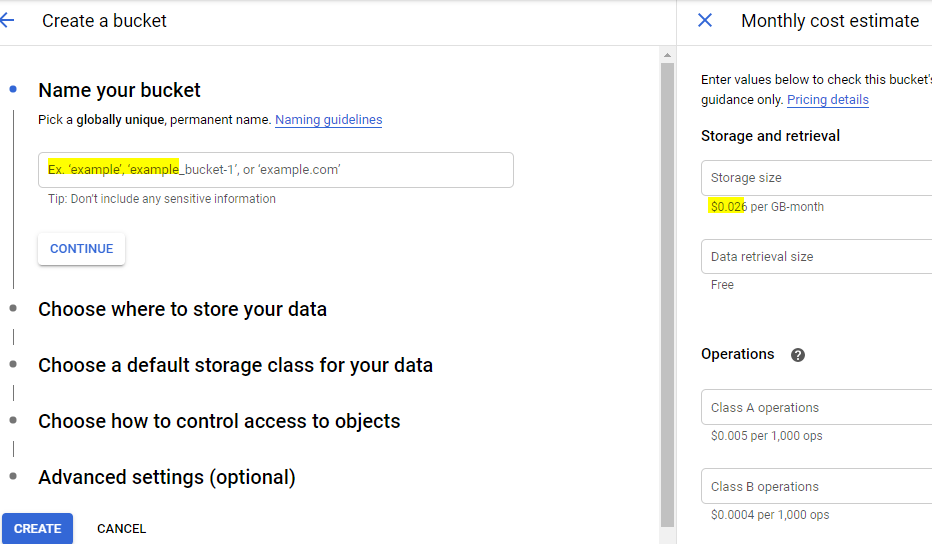
Go to cloud storage -> Click on Create Bucket

Give some unique name, you can use your Google Project ID+some name and click on create bucket.
2. Use sample hierarchical JSON payload to auto create bigquery table
One of the quick way to create the Bigquery table to save the JSON payload with array is to first create the sample JSON payload and use it to create the bigquery table.
For Example:
You are expecting the Sales Order data in the JSON payload like below i.e. OrderNo, Suppliername and array of the items in the Sales Order.
import jsondata = { "orderno":"SO1010", "suppliername":"DUMMY SUPP", "parts": [ { "partnumber": "PA1010", "partdesc": "PIPE", "qty": 10 }, { "partnumber": "PA1010", "partdesc": "PIPE", "qty": 10 }, ], }
Instead of manually creating the BigQuery table, which can be little boring, we can use below approach.
- Convert the JSON to the DELIMITED format - Bigquery need the data in DELIMITED format only
You can use json.dumps(data) for the same.
print(json.dumps(data))
{"orderno": "SO1010", "suppliername": "DUMMY SUPP", "parts": [{"partnumber": "PA1010", "partdesc": "PIPE", "qty": 10}, {"partnumber": "PA1010", "partdesc": "PIPE", "qty": 10}]}
Open the Google Cloud Shell, Open editor and create the file with above json payload say Blog.json.

Use below command to create the table in Bigquery:
bq load --autodetect --replace --source_format=NEWLINE_DELIMITED_JSON \n
mydataset.BLOGDEMOTABLE ./Blog.json
where BLOGDEMOTABLE -> Table Name

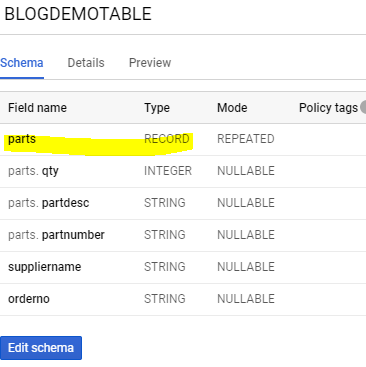
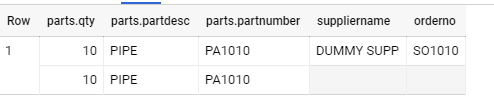
Now if you check in Bigquery you will find the new Table Name BLOGDEMOTABLE. Note the column of type REPEATED to save the array.
3. Create google cloud function to listen to the object creation event on storage bucket and Fetch the JSON payload from the file and load in to Bigquery
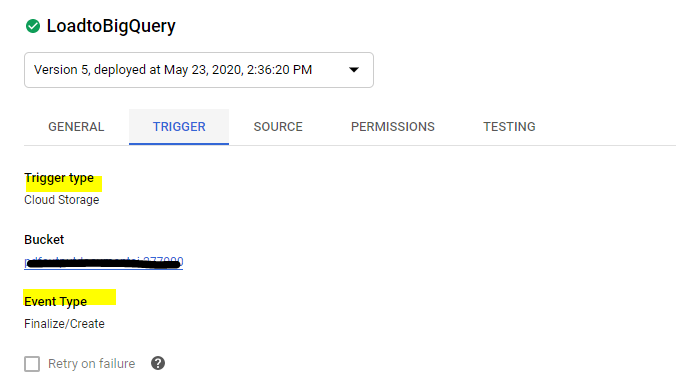
Create the a new Cloud Function (For AWS Folks it is similar to lambda (Function), and select the input as Google Storage Trigger on Create Event.
Select runtime as Python
Note: Since this function will access google cloud storage and google Bigquery Python Client libraries, we need to add this as the dependencies to the cloud function.
We can add those dependencies in Requirement.txt, this will enable Cloud Function to install the required package while deployment.
Example: (Note you might not need storage dependency for this exercise)
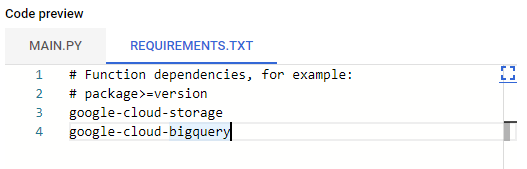
Now we just have to right the small code to listen to perform below
- Listen to the cloud create file event
- Get the file name
- Create Bigquery JobConfig object and call load_table_from_uri function
Please find the below code.
from google.cloud import bigquerydef insertdatatobigquery(event, context): """Triggered by a change to a Cloud Storage bucket. Args: event (dict): Event payload. context (google.cloud.functions.Context): Metadata for the event. """ file = event print(f"Processing file: {file['name']}.") client = bigquery.Client()
#Dataset name dataset_id = 'mydataset' dataset_ref = client.dataset(dataset_id) job_config = bigquery.LoadJobConfig() job_config.source_format = bigquery.SourceFormat.NEWLINE_DELIMITED_JSON
#Storage filename uri="gs://"+event["bucket"]+'/'+event["name"]
#This function load the data from JSON file to Bigquery table
load_job = client.load_table_from_uri( uri, dataset_ref.table("PACKINGSLIPDOCUMENTS"), location="US", # Location must match that of the destination dataset. job_config=job_config, ) # API request print("Starting job {}".format(load_job.job_id)) load_job.result() # Waits for table load to complete. print("Big Query Job finished.")